Daily Archives
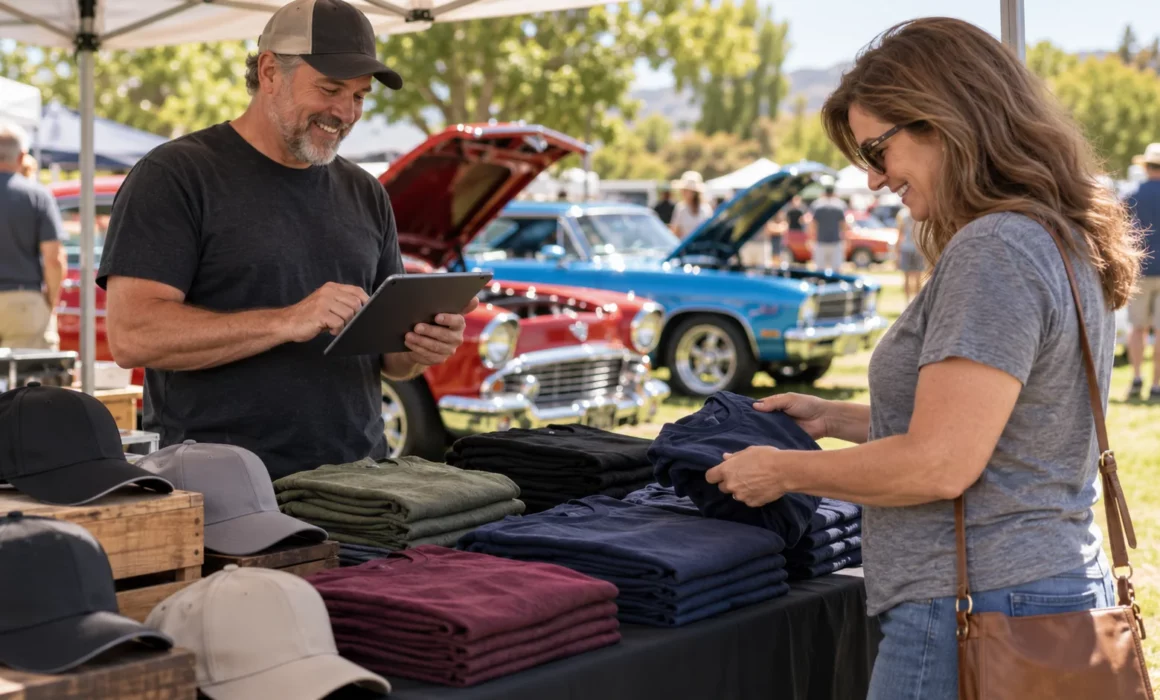
Your club store. Your event merchandise. Your gate. One less thing to complicate.
A busy merchandise table should be about helping the next customer—not tracking down a rented payment terminal, installing another app, or pairing a credit card reader. Middletwin’s new kiosk mode turns your own supported device into a volunteer-operated sales station, right in its web browser.
Accept credit card payments and record cash sales using a supported mobile device, tablet, or laptop. Bring your products, your volunteers, and a device your club already owns. No separate app download, rented checkout equipment, or external card reader is required.
From the club meeting to the show gate
Keep your club store moving
Sell club shirts, hats, decals, and other merchandise in person using your Middletwin Store catalog. Volunteers choose the item, size or option, and quantity, then review the sale. Tracked merchandise inventory updates as purchases are recorded, helping your team keep an eye on what is still available.
Set up an event merchandise table
Take your store to the car show, cruise night, or club gathering. Select the products for that sales table and give the kiosk a recognizable name so you can review its results later. Customers do not need a Middletwin account or club membership to buy.
Collect gate admission payments
Set up admission as a Store item and use the kiosk to collect payment at the gate. Volunteers can adjust the quantity for a group arriving together and accept card or cash. Admission items can use unlimited quantities when you do not need a stock limit.
A kiosk admission purchase records the sale. Event registration, car-number assignment, ticket issuing, and check-in remain separate workflows.
Cards and cash, without extra checkout hardware
For card purchases, the customer enters their card details securely through Stripe’s payment fields in the browser. There is no reader to connect, swipe, or tap. Card payments require an internet connection and your account’s Stripe setup; payment-processing fees apply.
For cash purchases, the volunteer enters the amount received, sees the change due, and confirms receipt of the cash. Middletwin records the sale in Finance. Cash checkout does not require a Stripe connection.
Give your treasurer more than a cash-box total
The value continues after the last customer leaves. Kiosk Sales reporting helps you review:
- Gross sales and quantities sold.
- Cash and card totals, card fees, refunds, and estimated net proceeds.
- Results by day and named sales table, with CSV exports.
That gives your club a clearer record of what sold and how customers paid, alongside the other income you manage in Middletwin. Your treasurer has useful figures to review, and your next event team has something concrete to plan from.
Get ready for your next event
Store and kiosk are included with Middletwin club and Car Show Only accounts. An authorized administrator can open Store → Start kiosk, select the products for the table, and launch the checkout. Before event day, check your exact device and browser, confirm your internet connection for card sales, and walk volunteers through the checkout process.
Already a customer? Start in Store or contact us for help getting set up. Exploring Middletwin for your club or show? Schedule a demo and ask to see kiosk mode in action.
Run your club all year. Run your show with confidence.